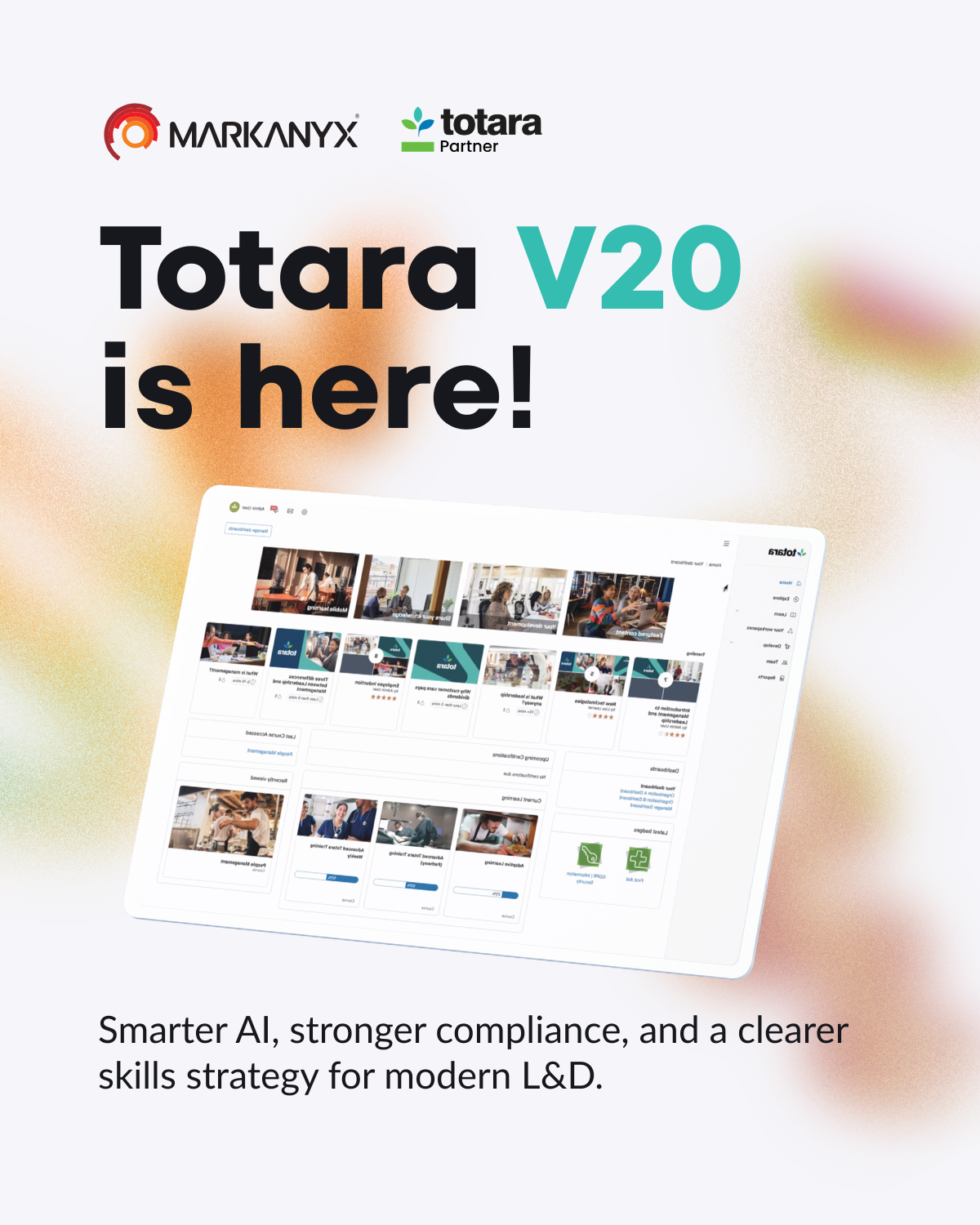

Totara LMS, Totara V20 (2026): Guide to AI, Compliance and Skills
The 2026 Totara LMS release, Totara V20, delivers meaningful updates across artificial intelligence, compliance management and skills development. This guide walks through those changes and explains how they help organizations simplify learning operations, stay audit-ready and scale capability. We cover the headline AI features, compliance improvements, practical steps for a skills-based strategy, and what admins should know about setup and integrations.
Totara V20 at a Glance: What’s New in Totara LMS
Totara V20 introduces enhancements that clarify the user experience and make learning programs easier to manage and measure. The release focuses on smarter automation and stronger compliance controls to meet modern organizational requirements.
What Is Totara V20 and Who Is It For?
Totara V20 is an enterprise-ready LMS designed for organizations that need dependable training delivery and robust compliance support. It’s a fit for corporate L&D teams, post-secondary institutions and any organization with regulatory training obligations. Use it to design tailored learning journeys that map to diverse roles and development objectives.
Totara V20 Release Summary: The Biggest Changes at a Glance
The Totara V20 release highlights a few core improvements:
- Enhanced AI Capabilities: New AI tools speed content creation and improve learner relevance.
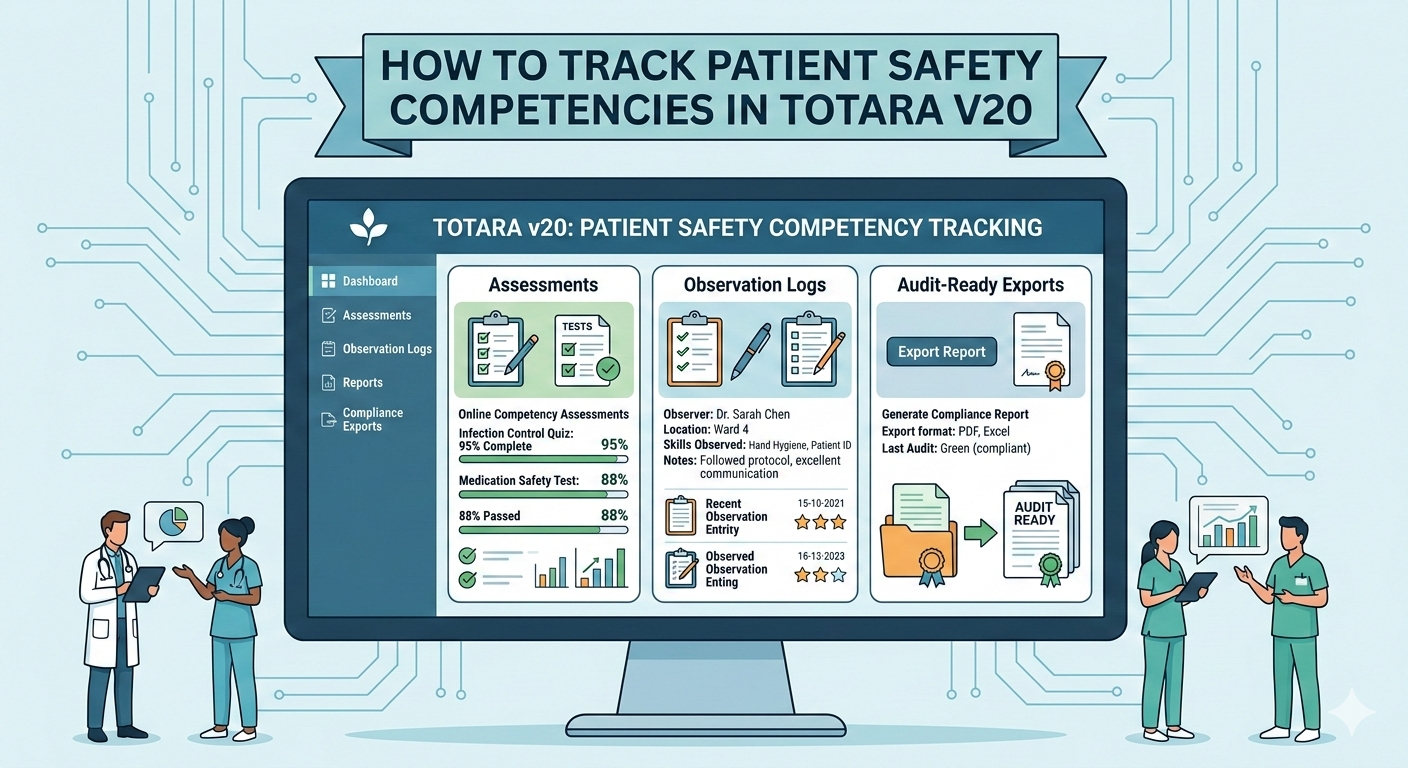
- Compliance Management Tools: Better reporting and certification tracking simplify regulatory oversight.
- Skills Development Framework: Built-in skills tracking and workflows to support career growth and operational readiness.
Together, these updates make Totara V20 a compelling option for organizations focused on measurable learning outcomes.
Totara V20 vs Previous Versions: What Actually Improved?
Compared with earlier releases, Totara V20 offers several practical improvements:
- User interface: Cleaner navigation and layouts help learners and admins move faster.
- AI integration: Native AI for content and learner analytics reduces manual work and speeds decision-making.
- Compliance features: Stronger reporting and tracking give clearer visibility over compliance-related training.
These refinements reflect user feedback and current L&D best practices.
AI in Totara V20: What’s New and How to Use It

Totara V20’s AI features are built to cut repetitive work and surface more relevant learning for each person. The result: faster content production and sharper, personalized recommendations.
Totara AI Features Overview
The AI capabilities in Totara V20 include:
- Automated content creation: AI can generate course drafts and suggested learning paths to accelerate authoring.
- Personalized learning recommendations: The platform analyzes behaviour and progress to suggest the next best learning steps.
- Enhanced analytics: AI-driven insights highlight engagement and completion trends so you can act sooner.
These tools help teams deliver more targeted, efficient learning without adding admin overhead.
AI for Content Creation: Faster Course and Page Drafting
AI can produce first drafts of course pages and outlines from simple prompts, letting subject-matter experts focus on review and refinement rather than starting from scratch. That shortens production time while keeping content accurate and on-message.
This approach aligns with recent research showing how AI can streamline content-generation workflows within learning platforms.
AI Integration in LMS for Streamlined Content Generation
This paper presents a proof of concept for an AI-driven approach, showing how it can significantly simplify the content-generation process.
Supporting academic teaching with integrating AI in learning management systems: Introducing a toolchain for students and lecturers, L Mehnen, 2024
AI for Images and Visual Assets: When It Helps
AI can recommend visual treatments—infographic layouts, slide structures or image concepts—based on existing content. That’s handy when you need cleaner visuals quickly without in-house design resources.
Governance and Controls: How to Keep AI Use Compliant
Totara V20 includes governance features to support responsible AI use. Define clear data-handling policies, review AI-generated output against your standards, and train staff on ethical use to reduce risk.
Compliance in Totara V20: Certifications, Recertification, and Audit Readiness
Compliance is central to many training programs, and Totara V20 adds features that simplify certification management and audit preparation.
Multi-Year Recertification: How It Works and When to Use It
The multi-year recertification option automates certificate lifecycles across multi-year intervals. It’s well-suited to regulated industries where keeping credentials current is essential and manual tracking isn’t practical.
Certification Compliance Reporting: Key Reports to Build First
Use Totara V20’s reporting tools to create the compliance reports you’ll rely on. Start with:
- Certification status reports: Track who holds which certificates and when they expire.
- Training completion reports: Monitor participation and completions to demonstrate coverage.
These reports give clear insight into readiness and where follow-up is needed.
Evidence, Records, and Audit Trails: Practical Setup Tips
Reliable record-keeping matters for audits. Totara V20 captures detailed audit trails of learning activity. When you set up the system, consider these practical steps:
- Regularly updating records: Log training and assessment outcomes promptly so records remain accurate.
- Utilizing automated reminders: Configure alerts for upcoming renewals and required training to reduce missed deadlines.
Common Compliance Scenarios
Organizations often manage multiple certifications, shifting regulations and role-based training needs. Totara V20 addresses these through configurable workflows and targeted reports that simplify ongoing compliance management.
Skills in Totara V20: Building a Skills-Based Learning Strategy

Totara V20 puts skills at the centre of development, making it easier to map roles to capabilities and build learning paths that close real skill gaps.
Skills Framework Setup: From Roles to Skills Profiles
Start a skills framework by defining roles and the skill profiles that support them. That makes it simple to see which skills each role requires and to assign targeted learning that supports performance and progression.
Skills Gap Analysis: Identifying Gaps at the Team and Individual Level
Use Totara V20’s assessment and tracking features to pinpoint skills gaps across teams and individuals. These insights let you prioritize training where it will have the biggest operational impact.
Linking Skills to Learning: Programs, Playlists, and Recommendations
Link skills directly to programs, playlists and recommended resources so learners follow clear, curated paths. That reduces friction and helps employees understand which learning will grow the skills they need.
Measuring Skills Progress: Reports and Dashboards That Matter
Track skills development with dashboards and reports that focus on meaningful metrics, such as:
- Skill acquisition rates: Measure how quickly people gain new capabilities.
- Training effectiveness: Assess whether learning produces the intended skills and performance improvements.
Administration and User Experience Improvements in Totara V20
Totara V20 delivers admin and UX improvements that reduce overhead and improve learner engagement.
Admin Workflow Updates: Faster Configuration and Maintenance
The admin interface has been refined to speed routine tasks. Notable updates include:
- Simplified navigation: A clearer layout helps admins find settings faster.
- Bulk actions: Apply updates to many users or courses at once to save time.
These changes lower administrative effort and help keep the platform running smoothly.
Learner Experience Updates: Discovery, Navigation, and Engagement
Learner-focused updates make it easier to find content and stay on track. Highlights include:
- Enhanced course discovery: Improved search and recommendations surface relevant learning faster.
- Personalized dashboards: Learners can customize what matters most to their role and goals.
The outcome is a more engaging experience that supports continuous development.
Performance and Stability: What to Expect After Upgrading
Teams that upgrade to Totara V20 can expect better performance and system stability. The release optimizes speed and reduces downtime, while regular updates and support help keep the platform secure and reliable.
Totara V20 Integrations and Ecosystem
Totara V20 integrates with common systems so you can embed the LMS into your existing tech stack.
SSO and Identity: Azure AD, SAML2, and OAuth Considerations
Built-in SSO support simplifies login management by integrating with identity providers such as Azure AD and SAML2. These options streamline access while preserving security controls.
HRIS / CRM Data Flows: What to Sync for Skills and Compliance
Syncing HRIS and CRM data keeps skills and compliance records current. Key items to synchronize include:
- Employee profiles: Link training records to employee profiles for a single source of truth.
- Certification status: Keep certifications up to date in real time to support audits and reporting.
These integrations cut down manual updates and improve data accuracy across systems.
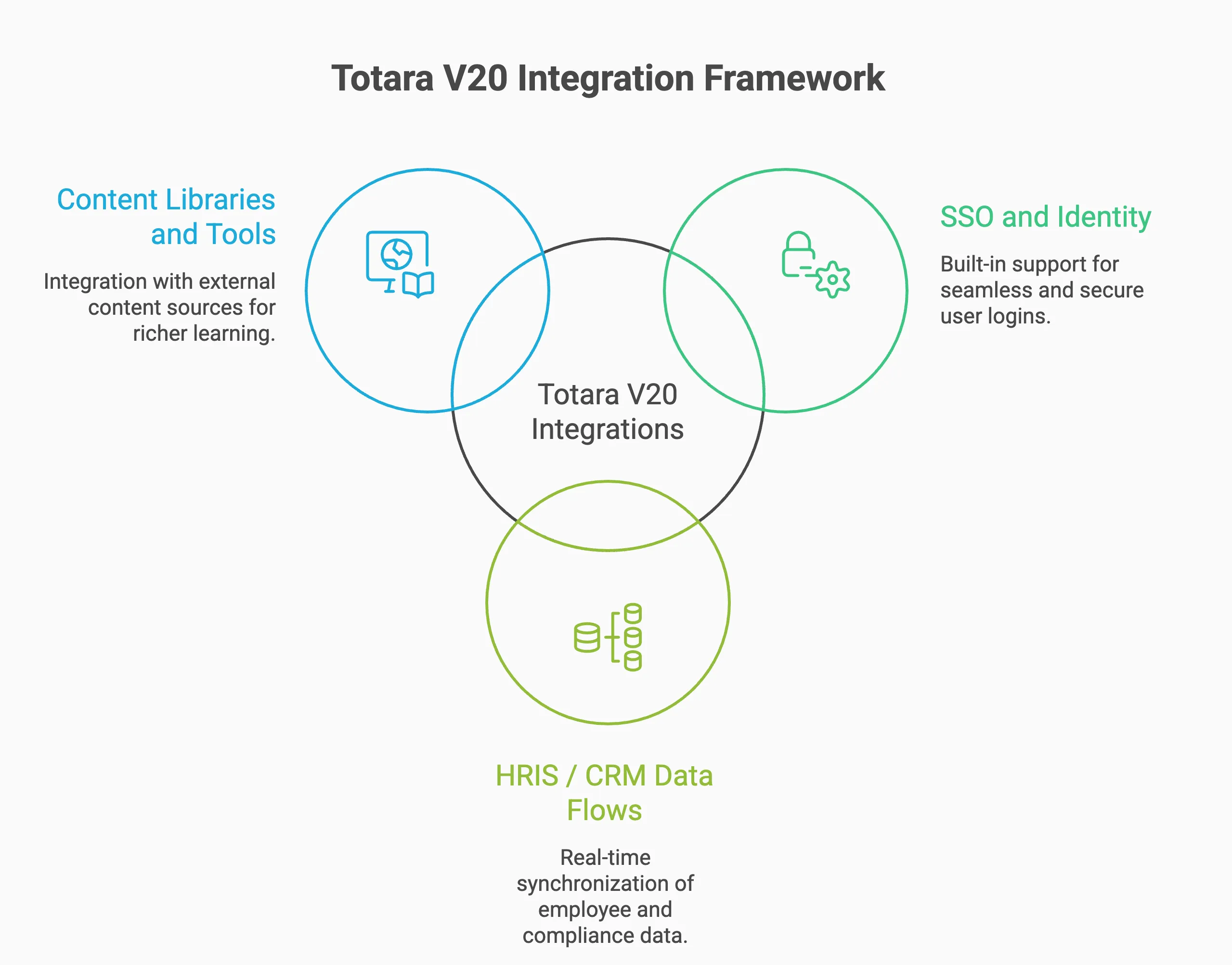
Content Libraries and Tools: What Commonly Integrates Well
Totara V20 works with a wide range of content sources and tools so you can assemble richer learning experiences. Common integrations include:
- eLearning content providers: Access off-the-shelf courses and resources to expand your catalogue.
- Assessment tools: Connect assessment platforms to capture and measure learner progress.
These connections give you the flexibility to combine internal and external content efficiently.
Totara V20 Upgrade Guide: Planning, Testing, and Go-Live
A successful upgrade to Totara V20 depends on careful planning, thorough testing and clear communication. Use a staged approach to reduce risk and minimize disruption.
Pre-Upgrade Checklist: Hosting, Backups, and Compatibility
Before upgrading, complete a checklist that includes:
- Hosting requirements: Confirm your hosting environment meets Totara V20 specifications.
- Data backups: Back up all data to protect against loss during the upgrade.
- Compatibility checks: Verify that existing plugins and integrations will work with the new version.
This checklist reduces the chance of surprises during migration.
Staging and Testing Plan: What to Validate Before Production
A thorough staging and testing plan helps validate changes before they reach learners. Key steps include:
- Testing functionality: Confirm features behave as expected in the staging environment.
- User acceptance testing: Involve end users to gather feedback and catch issues early.
These validations increase confidence when you switch to production.
Go-Live Timeline: A Practical Path for Teams
Define a practical go-live timeline with clear milestones, such as:
- Final testing completion: Ensure all tests are finished before launch.
- User training sessions: Schedule training so users can adopt new features quickly.
A clear timeline keeps stakeholders aligned and reduces last-minute issues.
Post-Upgrade Optimization: Quick Wins in the First 30 Days
After launch, aim for quick wins to build momentum. Consider:
- Gathering user feedback: Collect early feedback to prioritize fixes and improvements.
- Adjusting settings: Fine-tune configuration based on user input.
These early actions help improve satisfaction and stabilize the new environment.
Totara V20 FAQs
Is Totara V20 Right for Compliance-Heavy Organizations?
Yes. Totara V20 is well-suited to organizations with significant compliance demands, thanks to its certification management, reporting tools and audit trails—features that help demonstrate regulatory adherence.
Does Totara V20 Replace Third-Party AI Tools?
Totara V20 includes built-in AI features, but it’s intended to complement, not necessarily replace, third-party AI solutions. Many organizations combine Totara’s native capabilities with external tools to meet specialized needs.
How Long Does a Totara V20 Upgrade Take?
Upgrade timelines depend on organization size and complexity. Small deployments can be completed in a few days; larger or heavily customized environments may take several weeks to plan, test and validate.
What Are the Top Risks During a Totara Upgrade?
Common upgrade risks include data loss, plugin compatibility issues and user resistance. Mitigate these risks by testing thoroughly, keeping reliable backups and running targeted user training.
How Can a Totara Partner Help You Upgrade to Totara V20?
An experienced Totara partner can make upgrades smoother and reduce risk. Markanyx Solutions, Canada’s only bilingual Totara partner, supports planning (plugins, themes, integrations, hosting), validates everything in a staging environment and manages go-live to minimize disruption. If you’re migrating from Moodle or another LMS, Markanyx maps users, courses, completions, programs and certifications so your new Totara environment is clean and future-ready. New to Totara? We’ll also help design your LMS and L&D strategy around compliance, reporting and skill in English, French, Spanish or Arabic. Book a free assessment to get a practical recommended path for your upgrade, migration or Totara launch.
Conclusion
Totara V20 gives organizations practical tools to modernize learning: smarter AI to reduce manual work, stronger compliance features to protect the business, and an integrated skills framework to grow capability. When used thoughtfully, these updates streamline training operations, improve reporting confidence, and support ongoing development at scale.
If you want to see what Totara V20 looks like in your exact context, book a customized demo with Markanyx to map the right configuration for your organization and get a clear, practical path for upgrade or implementation.