

Implementing Digital Attendance with Totara V20: QR Code and Online Check-In Solutions for SMBs
Effective attendance management is essential for organizations, particularly small and medium-sized businesses (SMBs). This guide examines Totara V20’s capabilities, with an emphasis on QR code and online check-in solutions that streamline attendance workflows. It outlines core features, configuration steps, operational benefits, and methods to analyse attendance data. The content addresses common attendance challenges and presents practical measures to improve efficiency and accuracy.Research demonstrates measurable improvements in administrative efficiency following adoption of digital attendance systems.
What Are the Core Features of Totara V20 for Digital Attendance?
Totara V20 provides a comprehensive feature set for digital attendance management, including customization options, integration connectors, and a user-oriented interface. The platform supports seamless integration with existing systems to minimize disruption during deployment.
How Does QR Code Attendance Tracking Work in Totara V20?
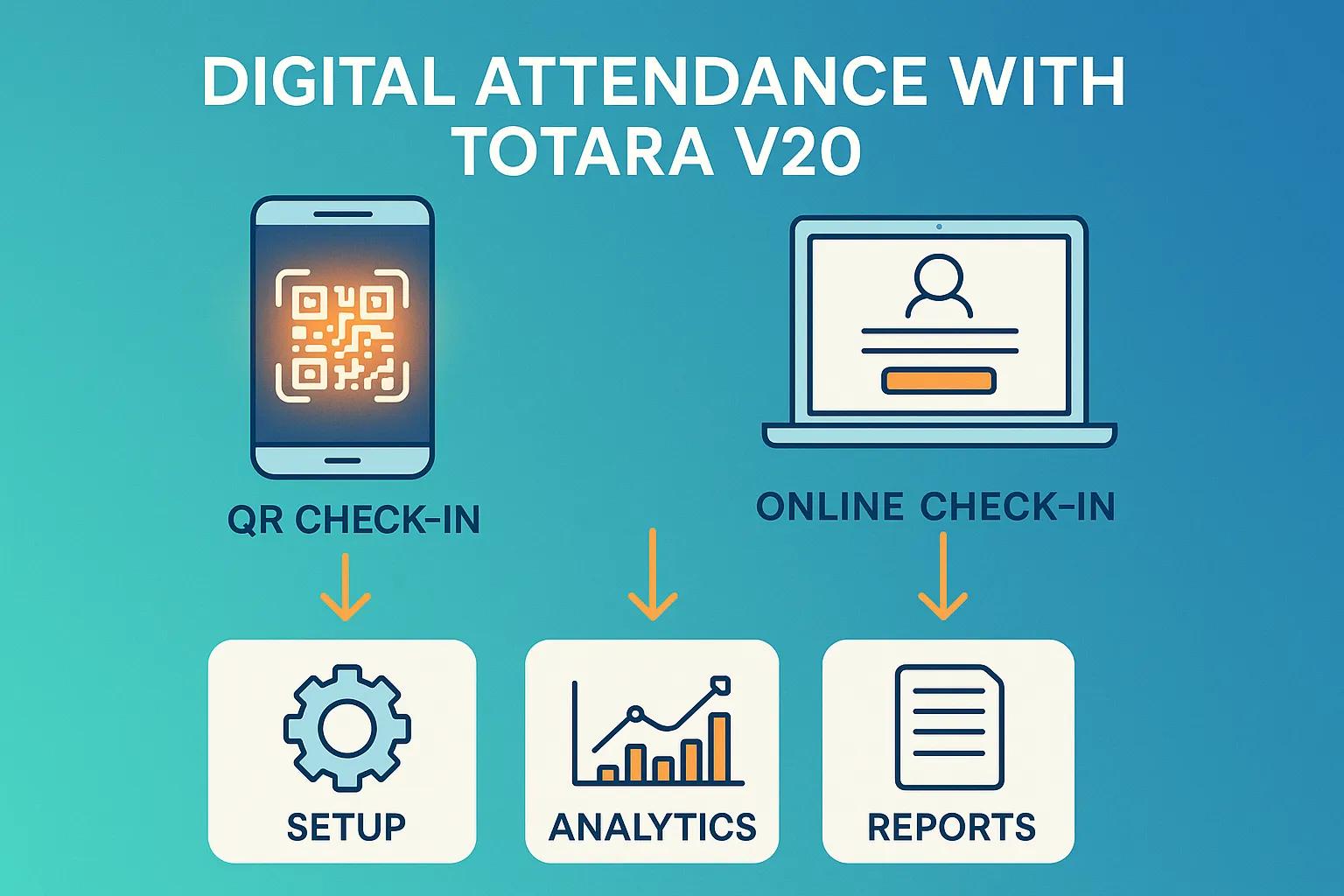
Totara V20 generates unique QR codes for each event or session. When participants scan a code with a mobile device, the system records attendance automatically. This reduces manual errors and captures data in real time, giving organizations immediate visibility into attendance patterns.QR code technology provides an efficient, modern attendance method well-suited to SMB operational needs.
What Online Check-In Software Capabilities Does Totara Offer?

Totara V20 includes real-time check-in, customizable check-in forms, and automated notifications. These features reduce queue times and improve participant experience. Built-in reporting enables organizations to analyze attendance data and support operational decision-making.
How to Set Up QR Code Check-In and Online Attendance in Totara V20?
Setup for QR code check-in and online attendance in Totara V20 follows a concise set of steps. Organizations can configure the system to meet specific requirements for a controlled, predictable deployment.
What Are the Step-by-Step Instructions for QR Code Attendance Setup?
To configure QR code attendance in Totara V20, perform the following steps:
- Initial Setup Requirements: Ensure that you have administrative access to the Totara V20 platform and that your event details are ready for input.
- Configuration Steps: Navigate to the attendance management section, select the event for which you want to enable QR code check-in, and generate unique QR codes for each participant.
- Testing the Setup: Conduct a test run by scanning the QR codes with a mobile device to ensure that attendance is recorded accurately in the system.
These procedures enable accurate QR code attendance tracking and strengthen overall attendance management.
How to Configure Online Check-In Features for SMBs?
Configuring online check-in for SMBs requires aligning settings with organizational needs. Key considerations include:
- Customization Options for SMBs: Tailor the check-in interface to reflect your brand and provide a user-friendly experience for participants.
- User Interface Settings: Adjust settings to streamline the check-in process, ensuring that it is intuitive and efficient.
- Integration with Existing Systems: Ensure that the online check-in features work seamlessly with other systems in use, such as CRM or event management software.
Addressing these elements allows SMBs to optimize check-in workflows and improve attendance outcomes.
What Are the Benefits of Using Digital Attendance Systems with Totara V20?
Digital attendance systems such as Totara V20 deliver operational efficiency, data accuracy, and cost-effective management. These attributes make the platform suitable for organizations seeking reliable attendance solutions.
How Does QR Code Attendance Improve Accuracy and Efficiency?
Automated QR code check-in reduces manual entry errors and shortens check-in times, helping events to begin on schedule. Real-time data capture supports monitoring of attendance trends and informed decision-making.
Why Is Totara V20 Ideal for Small to Medium-Sized Businesses?
Totara V20 is suitable for SMBs due to its cost-effective licensing options and scalability. The platform’s configurable features allow tailored deployments without significant capital outlay. Bilingual support further improves accessibility for diverse participant groups.This evidence supports the conclusion that digital attendance systems provide affordable and effective solutions for small businesses.
How to Analyze and Report Attendance Data Using Totara V20?

Attendance analysis and reporting are essential for effective workforce management. Totara V20 supplies tools and features to support these functions.
What Attendance Reporting and Analytics Features Are Available?
Totara V20 provides detailed reporting and analytics for participant attendance, session engagement, and event performance. The analytics interface presents data clearly to support actionable insights.
How Can SMBs Use Attendance Data to Improve Workforce Management?
SMBs can use attendance analytics to identify trends, optimise resource allocation, and improve employee engagement. A data-driven approach allows proactive responses to attendance issues and supports productivity improvements.
What Are Common Troubleshooting Steps and Support Options for Totara Attendance?
Implementations may encounter typical issues that require troubleshooting. Recognising these challenges and applying standard resolutions is essential to maintain effective attendance operations.
How to Resolve Common Issues with QR Code Check-In?
Typical QR code check-in issues include scanning failures and network interruptions. To address them, organisations should:
- Identifying Common Problems: Ensure that QR codes are printed clearly and are not damaged.
- Step-by-Step Resolution: Provide clear instructions for participants on how to scan QR codes effectively.
- When to Seek Help: If problems persist, contact Totara support for assistance in troubleshooting technical issues.
How to Contact Markanyx for Totara Attendance Support Services?
To obtain support for Totara attendance solutions, contact Markanyx via email or through the contact form on the Markanyx website. The support team can assist with Totara V20 and attendance management queries.Different digital attendance systems provide benefits through distinct technical mechanisms.
| Feature | Description | Benefit |
|---|---|---|
| QR Code Tracking | Automates attendance recording through scanning | Reduces manual errors and speeds up check-in |
| Real-Time Analytics | Provides immediate insights into attendance patterns | Enables data-driven decision-making |
| Customizable Interface | Allows organizations to tailor the user experience | Enhances participant satisfaction and engagement |
The table demonstrates how Totara V20’s features combine to form a comprehensive digital attendance solution for SMBs.For further details on Totara, visit Markanyx’s Totara page.
Frequently Asked Questions
What types of events can benefit from using Totara V20 for attendance management?
Totara V20 supports corporate meetings, training sessions, workshops, and conferences. Its QR code check-in and online registration capabilities streamline attendance capture across event types and improve record accuracy and participant engagement.
How secure is the data collected through Totara V20’s attendance system?
Totara V20 prioritizes data security. The platform employs strong encryption and complies with applicable data protection regulations. Organizations may configure access controls to restrict who can view or manage attendance data, preserving privacy and compliance.
Can Totara V20 integrate with other software systems?
Yes. Totara V20 integrates with CRM systems, learning management systems (LMS), and event management platforms. These integrations allow organizations to align attendance data with broader business processes and improve cross-departmental efficiency.
What support resources are available for new users of Totara V20?
New users have access to documentation, user guides, and video tutorials. The Totara community forum provides peer support. For personalized assistance, Markanyx support offers expert guidance on implementation and troubleshooting.
How can organizations ensure a smooth transition to digital attendance systems?
Plan and provide training to ensure a smooth transition. Assess existing attendance processes, run pilot tests to identify issues, and deliver staff training before full deployment. Clear communication with participants will support adoption.
What are the cost implications of implementing Totara V20 for attendance management?
Costs vary by organization size and requirements. Totara offers flexible pricing for SMBs; expenses can include licensing, setup, and integration. Long-term efficiency gains and reduced manual errors often offset initial implementation costs.
Conclusion
Adopting digital attendance systems such as Totara V20 gives SMBs a smarter, more efficient way to manage attendance with greater accuracy and less administrative effort. Features like QR code tracking and online check-in help reduce manual processes, improve data reliability, and provide real-time visibility into participation and attendance trends. With the right solution in place, organizations can make better-informed decisions while creating a more streamlined and cost-effective attendance process. Ready to modernize your attendance operationsBook a custom demo with Markanyx and discover how Totara V20 can be tailored to support your business, empower your teams, and simplify attendance management.