

12 LMS Features That Actually Improve Adoption: Insights from Totara V20 for Effective User Engagement
Learning Management Systems (LMS) are central to digital training and to improving user engagement and adoption. This article examines twelve Totara V20 features that drive adoption, explains how they work, and outlines the business benefits and practical uses for optimizing training programs. It addresses common engagement challenges and offers guidance on onboarding, learner experience enhancements, and SMB strategies to maximise LMS value.
Which Key Features in Totara V20 Drive LMS User Adoption?
Totara V20 delivers a modernised user interface, configurable dashboards, and gamification capabilities. Together these elements streamline navigation, surface relevant learning, and motivate learners—improving usability and adoption.
How Does Gamification Enhance Learner Engagement in Totara V20?

Gamification in Totara V20 uses points, badges, and leaderboards to provide immediate feedback and formal recognition. These mechanics increase learner motivation and encourage regular participation, which supports higher completion rates and better knowledge retention. Organisations that apply gamification commonly report measurable increases in user engagement as learners pursue rewards and visible progress.Published research corroborates gamification’s positive effect on LMS engagement and learner motivation.
What Role Do Mobile Learning Capabilities Play in Adoption?

Mobile learning expands access by enabling learners to use course content on phones and tablets. Totara V20’s mobile support increases convenience for remote and field-based staff, allowing them to complete training on schedule. Research shows mobile access often raises engagement, as learners can fit training into their existing workflows.
How Do Totara V20 Features Improve the Learner Experience?
Totara V20 focuses on personalization, advanced reporting, and social learning to deliver a more effective learner experience. These capabilities help organisations address diverse needs and present relevant content to each user.
In What Ways Does Customization Support Diverse Learning Needs?
Customization lets organisations design tailored learning paths that match user roles and development goals. Learners can choose courses aligned to career objectives or skill gaps, which increases relevance and motivation. Personalised learning pathways improve user satisfaction and support higher retention.
How Do Analytics and Reporting Facilitate Adoption Tracking?
Analytics and reporting provide visibility into adoption by tracking metrics such as course completion, learner progress, and engagement. Organisations can use this data to detect trends and pinpoint areas for improvement, then adjust training strategies based on real-time evidence to boost adoption.
What Are Best Practices for Effective LMS Onboarding Using Totara V20?
Effective onboarding ensures users are confident and productive with the LMS. Best practices include clear onboarding workflows, targeted user training, and structured feedback channels to surface issues early.
Which User Onboarding Strategies Increase Corporate Training Adoption?\
Structured onboarding increases corporate training adoption. Provide step-by-step instructions, quick-start resources, and role-specific guides to help users navigate the system. Supplement documentation with live sessions and short tutorials to accelerate proficiency. Early engagement builds confidence and encourages use of core LMS features.The role of effective onboarding—especially on platforms such as Totara Learn—is well documented in corporate learning frameworks.
How Can Learner Feedback Tools Support Continuous Improvement?
Learner feedback tools capture user perspectives that inform iterative improvements. Regularly collected feedback identifies content gaps and usability issues, and signals where to prioritise updates. Acting on feedback demonstrates organisational responsiveness and fosters a culture of continuous improvement, which in turn supports higher adoption.
How Can Small to Medium-Sized Businesses Maximize Totara V20 Benefits?
SMBs can maximise Totara V20 by emphasising configurable options, systems integration, and vendor support. These elements help smaller organisations align the LMS with business processes and deliver measurable outcomes.
What Customization and Integration Options Are Available for SMBs?
Totara V20 supports branding, custom dashboards, and integrations with existing HR and single sign-on systems. These capabilities allow SMBs to streamline administration, present a cohesive learning environment, and align training with organisational objectives and culture.
How Does Markanyx Support Totara V20 Implementation and Adoption?
Markanyx delivers implementation services, tailored training, and adoption planning to help organisations deploy Totara V20. Their advisory support and technical expertise reduce deployment risk and help clients realise the platform’s benefits more quickly, improving user adoption and engagement.
What Are Practical Steps to Implement Totara V20 Features for Adoption Success?
Successful implementation follows a strategic plan: set measurable objectives, engage stakeholders, map user journeys, and deliver comprehensive training. A phased rollout with feedback loops reduces friction and improves uptak
How to Leverage Totara V20’s Advanced Features for Training Effectiveness?
Incorporate gamification to increase motivation and use analytics to measure impact. Combining these features creates an engaging, evidence-based learning programme that improves user satisfaction and training outcomes.
Additional studies support the conclusion that gamified LMS implementations can materially increase student engagement in online learning.
What Metrics Should Be Monitored to Measure LMS Adoption?
Track metrics such as active user rates, course completion, time-to-completion, and learner feedback. Regular analysis of these KPIs enables data-driven adjustments to content, delivery, and engagement strategies.
Where Can Businesses Find Support and Resources for Totara V20 Adoption?
Organisations can access vendor documentation, webinars, training courses, and community forums to support Totara V20 adoption. These resources aid planning, configuration, and ongoing optimisation.
What Client Success Stories Demonstrate Effective LMS Adoption?
Client case studies illustrate how tailored implementations and sustained support yield measurable improvements in engagement and training outcomes. These examples underscore the value of bespoke solutions and ongoing vendor partnership for successful adoption.
How to Access Markanyx’s Totara V20 Support Services?
Organisations can request personalised consultations and training from Markanyx. Their team provides implementation guidance and operational support to ensure clients adopt Totara V20 effectively and achieve expected outcomes.
Frequently Asked Questions
What are the benefits of using Totara V20 for corporate training?
Totara V20 supports higher engagement through personalised learning paths, gamification, and comprehensive analytics. Its configurable features let organisations tailor programmes to specific needs, while mobile access increases convenience. These capabilities contribute to better knowledge retention and higher completion rates, making Totara V20 a practical choice for corporate training.
How can organizations ensure successful implementation of Totara V20?
Adopt a strategic implementation plan: define goals, assess needs, involve key stakeholders, and align LMS configurations to business requirements. Provide role-based training and establish feedback channels to refine the rollout and sustain adoption.
What types of training content work best with Totara V20?
Totara V20 supports e‑learning modules, video, quizzes, and interactive simulations. Blended approaches that combine online modules with instructor-led sessions also perform well. Use varied formats to address different learning styles and maintain engagement.
How does Totara V20 support compliance training?
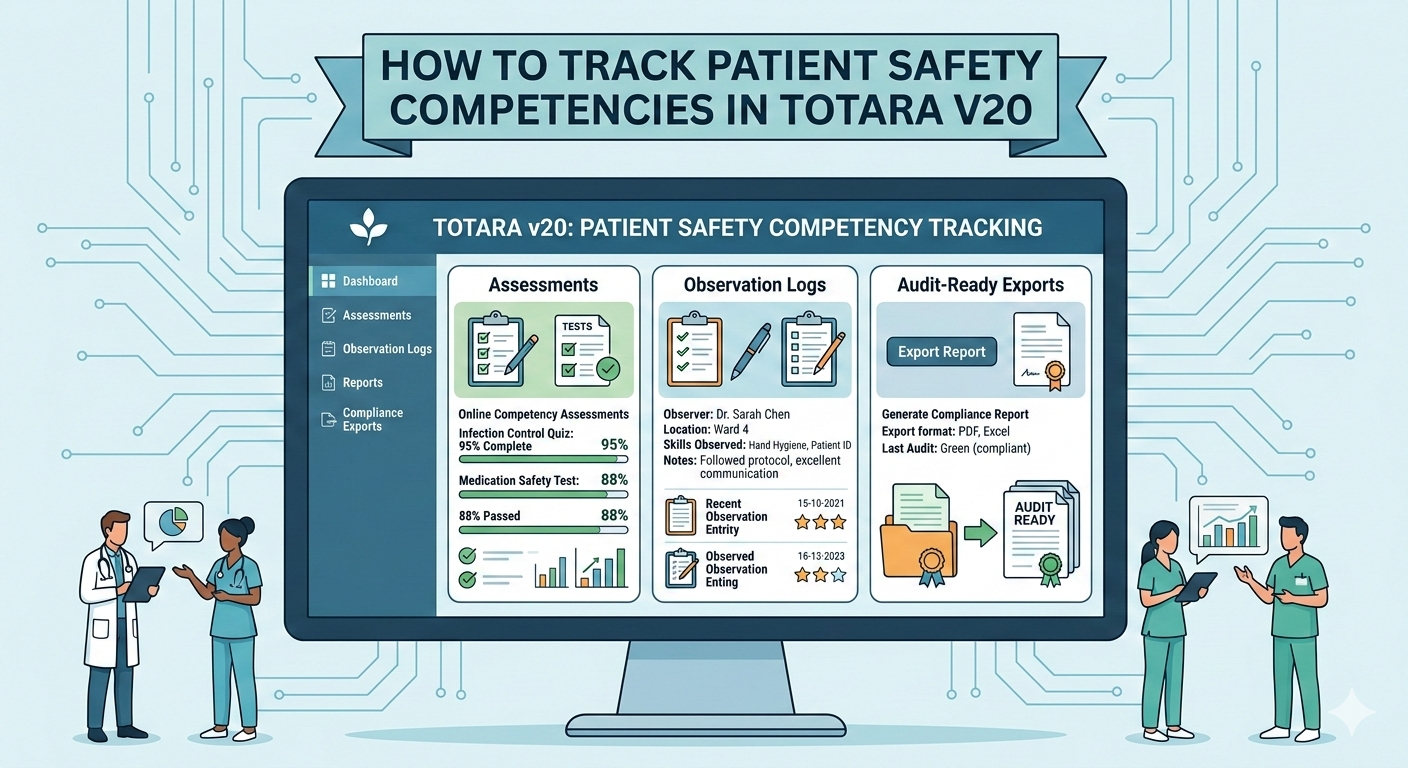
Totara V20 provides robust tracking and reporting to manage mandatory compliance programmes. Administrators can assign required courses, monitor completion in real time, and configure automated reminders to ensure regulatory requirements are met.
What role does social learning play in Totara V20?
Social learning features—discussion forums, peer review, and social tools—encourage collaboration and knowledge sharing. These capabilities support a learning community where users exchange insights, ask questions, and improve collective performance.
How can organizations measure the effectiveness of their LMS training programs?
Measure effectiveness with KPIs such as engagement rates, completion rates, assessment scores, and learner feedback. Use Totara V20’s reporting to analyse trends, identify improvements, and calculate training ROI to inform future strategy.
Conclusion
Applying Totara V20’s features—customization, gamification, and robust analytics—can materially improve user engagement and adoption in corporate training. These capabilities support personalised learning journeys and measurable outcomes. Discover how Totara V20 can transform your training programs by exploring our comprehensive support resources today.